
Step-by-Step Passport Photo Sheet Setup
- First, open your portrait in the Editor tab, switch to the Crop sub-tab, select the 3:4 or 1:1 (Square) ratio, and crop around the head and shoulders.
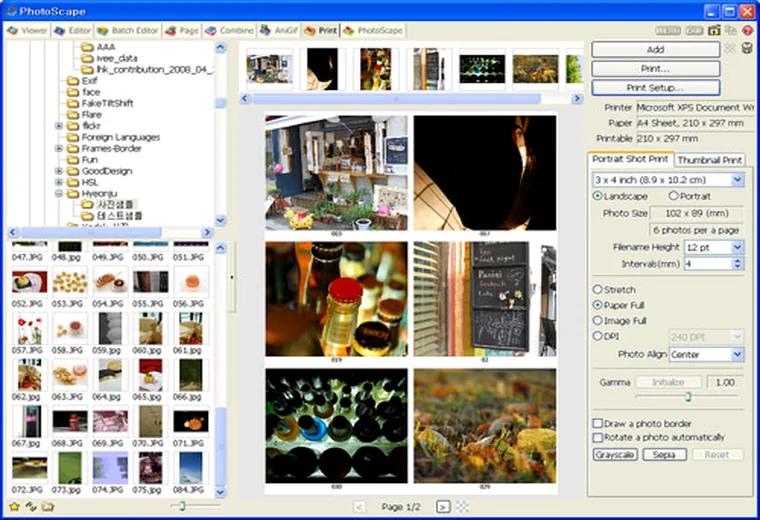
- Switch to the Print tab in PhotoScape.
- Click Portrait Shot on the right panel and select your exact millimeter preset:
- US / India Passport & Visa:
51 x 51 mm(2 x 2 inches) - UK / EU / Schengen / Australia Passport:
35 x 45 mm - Standard Wallet / ID Card:
25 x 30 mmor30 x 40 mm
- US / India Passport & Visa:
- Set DPI to 300 and drag your cropped portrait into 4 or 6 slots on a
4 x 6 inch (10 x 15 cm)paper setup. - Enable Add Guideline so faint crop marks print around each photo for straight scissor cutting.