
Step-by-Step Animated GIF Workflow
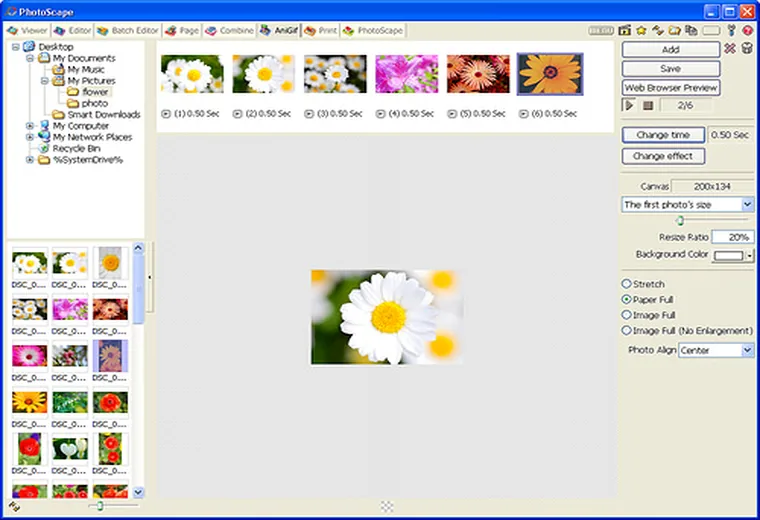
- Open PhotoScape and select the Animated GIF tab.
- Drag your sequence of images from the left file explorer into the top timeline strip. Reorder frames by dragging them left or right.
- Click Change time on the right panel to set the frame delay. A value of
50equals 0.50 seconds per frame;10equals 0.10 seconds (10 fps). - Click Change effect if you want smooth cross-dissolve or slide transitions between frames.
- Set the canvas size ratio so the GIF stays under 2–5 MB for Discord, Slack, or blog embeds, then click Save.
Pro Tip for Per-Frame Pausing: Right-click ONLY the final frame in the timeline strip and set its display time to
200 (2.0 seconds) so viewers can read the final state before the GIF loops.